
Download BPS Mobilnie APK – mobile banking app, Android banking app, secure banking app, Bank BPS app, financial management tool, online banking app, mobile finance app, BPS Mobilnie APK
Overview
BPS Mobilnie is a mobile banking application developed by Bank BPS, designed for Android users seeking a streamlined and secure way to manage their financial affairs on the go. The app enables users to access a comprehensive range of banking products—including accounts, deposits, loans, and credit cards—directly from their smartphones or tablets. Its primary purpose is to simplify daily financial tasks by consolidating essential banking functions into a single, intuitive interface. The app is tailored for individual customers who value convenience, security, and real-time access to their financial data.
Key use cases include checking account balances, reviewing transaction histories, transferring funds, managing payees, and monitoring pending or declined operations. The app also supports access to branch and ATM locations through a built-in search function, enhancing offline accessibility. With a focus on user experience, BPS Mobilnie emphasizes ease of navigation and quick access to critical features. The developer did not provide additional details about the company’s background beyond the app’s name and function.
Given its free availability and compatibility with Android 8.0 and above, the app is accessible to a broad audience. It serves as a digital extension of Bank BPS’s services, offering users a modern alternative to traditional banking methods. The app’s design reflects current standards in mobile finance applications, prioritizing both functionality and security.
Key Features & Capabilities
- My Finances Dashboard – Central hub for viewing all banking products, including accounts, deposits, loans, and credit cards. Users can monitor balances, track transactions, and manage recipients.
- Transaction Management – Allows users to review detailed transaction histories, view pending and declined operations, and perform real-time transfers.
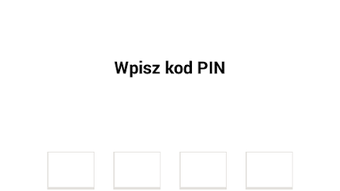
- Secure Authentication – Requires a 4-digit PIN for each login session, ensuring that access is protected at the user level. All data transmissions are secured via encrypted connections.
- Settings & Profile Management – Enables users to update personal information and modify their PIN settings directly within the app.
- Information & Support Access – Provides a search engine for Bank BPS branches and ATMs, contact details for customer service, and an option to exit the app securely.
These features are designed to reduce the need for physical branch visits or desktop banking sessions. For example, users can quickly verify a transaction history before a purchase or update their recipient list without logging into a separate system. The app’s modular structure ensures that users can focus on specific tasks without navigating through irrelevant sections. The developer did not specify advanced automation or AI-driven tools, so functionality remains focused on core banking operations.
User Interface, Workflow & Performance
The user interface of BPS Mobilnie is structured around three main sections: My Finances, Settings, and Information. This layout promotes intuitive navigation, allowing users to access key functions with minimal effort. The design emphasizes clarity, with labeled icons and a clean visual hierarchy that supports quick decision-making. Users can transition between sections seamlessly, with consistent layout patterns across screens.
Workflow efficiency is enhanced by direct access to frequently used actions, such as fund transfers and balance checks, from the main dashboard. The app’s performance is expected to be stable on devices meeting the minimum Android 8.0 requirement. However, exact performance details, including CPU or RAM usage, were not specified by the developer. General software behavior patterns suggest smooth operation on mid-to-high-end Android devices. Stability is supported by the app’s secure login protocol and encrypted data handling, which help prevent unauthorized access and session interruptions.
The developer did not provide specific information on load times, background processes, or battery consumption. Users may experience minor delays during initial data synchronization, particularly on slower networks. Overall, the app appears optimized for usability, with a focus on minimizing friction in routine banking tasks.
Compatibility & System Requirements
BPS Mobilnie is designed exclusively for Android devices and requires Android 8.0 or a later version to function. The application has a file size of 25.5 MB, indicating a lightweight footprint suitable for devices with limited storage. This makes it accessible even on older or budget-friendly Android smartphones.
Exact system requirements such as RAM, processor type, or GPU specifications were not listed by the developer. The app’s compatibility with Android 8.0 and above suggests it leverages standard Android APIs, which are widely supported across the current Android ecosystem. Installation is straightforward, with no additional dependencies reported. The developer did not specify whether the app supports tablets or larger screen devices, though its responsive layout may accommodate them.
Users should ensure their device meets the minimum OS requirement to avoid installation issues. For those using older Android versions, upgrading the operating system may be necessary to access the latest features.
Pros and Cons
Pros
- Free to download and use, with no hidden fees
- Secure login with 4-digit PIN and encrypted data transmission
- Comprehensive access to banking products and transaction history
- Intuitive interface with clear navigation between core sections
- Supports offline access to branch and ATM locations
Cons
- Available only for Android devices, with no support for iOS or other platforms
- Exact resource usage and performance metrics were not disclosed
- Limited to basic banking operations without advanced financial tools
- Requires Android 8.0 or higher, excluding older devices
- No information provided on automatic update frequency or version history
FAQ Section
Is BPS Mobilnie available for iOS devices?
The app is currently available only for Android devices. There is no official version for iOS platforms.
Is the app safe to use?
Yes, the app uses encrypted connections and requires a 4-digit PIN for each login, ensuring a secure environment for financial transactions.
How often does the app update?
The developer did not specify the update frequency. Users are advised to check the Google Play Store regularly for new versions.
Can I use the app without an internet connection?
While most features require an active internet connection, some data such as branch and ATM locations can be accessed offline.
What license type does BPS Mobilnie use?
The app is distributed under a free license, allowing unrestricted use for personal banking purposes.
Final Thoughts
BPS Mobilnie delivers a reliable and secure mobile banking experience tailored for Android users. Its clean interface, straightforward navigation, and focus on core financial tasks make it an excellent choice for individuals seeking a convenient way to manage their accounts on the go. The app’s emphasis on security through encryption and PIN-based authentication strengthens user trust. While it lacks cross-platform availability and advanced financial tools, its functionality is well-suited for everyday banking needs.
Given its free status, lightweight size, and compatibility with modern Android devices, BPS Mobilnie stands out as a practical digital banking companion. It is particularly beneficial for Bank BPS customers who want to minimize in-person visits and maintain full control over their finances. For users already using the bank’s services, this app offers a seamless extension of their banking experience.
Download BPS Mobilnie now






.png)
